Narrow CPR Scanner Free Tool — Daily & Weekly NSE Bhavcopy Scanner
Narrow CPR · Stock Scanner
Read article →
There are no items in your cart
Add More
Add More
| Item Details | Price | ||
|---|---|---|---|
A practical, risk-first home trading desk you can build without buying a multi-monitor rig.
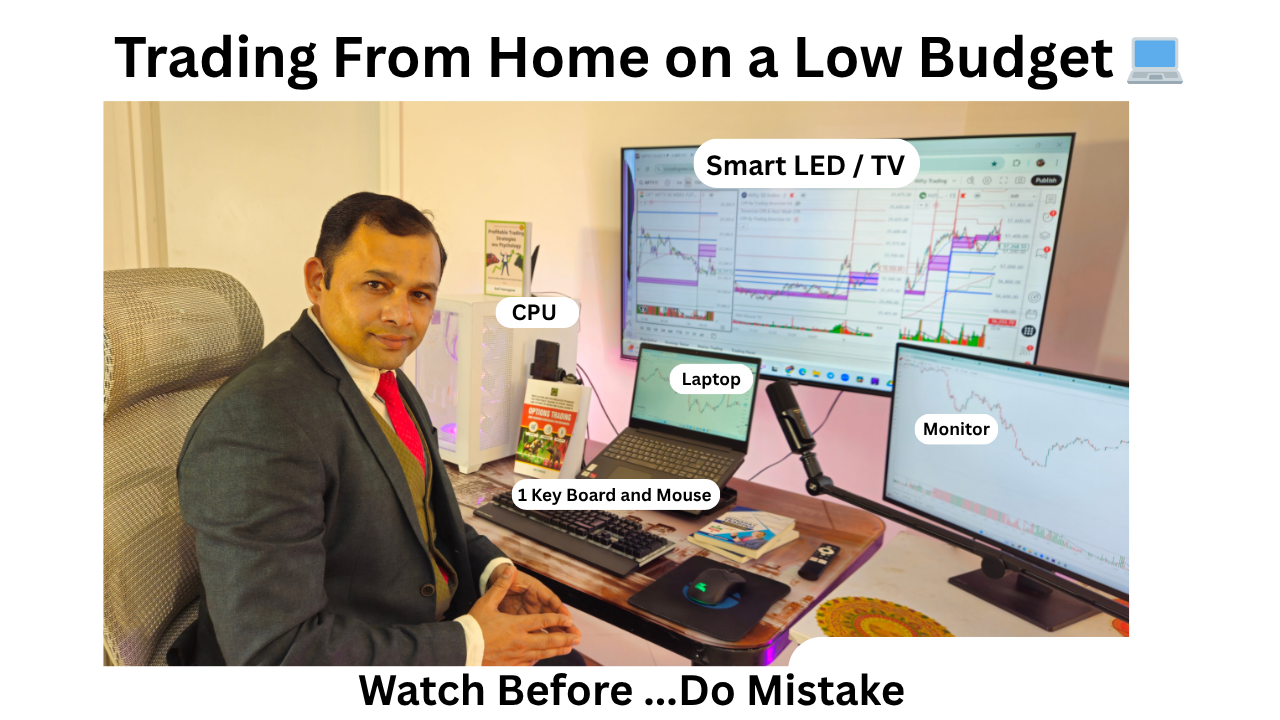
Many beginners think a costly multi-screen wall is needed to trade. It is not. A low budget intraday trading setup at home works when your tools are stable, your charts are readable and your risk rules are fixed. In this guide I explain what I would buy, how I would connect it and how I would configure it, with the same risk-first approach I teach at Trading Direction.
The best low budget setup is one laptop or PC feeding a single large Smart TV over HDMI, with one keyboard and mouse. It keeps cost low, avoids cable clutter and gives enough screen area for Weekly CPR, Daily CPR and intraday charts side by side.
One input device means fewer distractions and faster actions. You do not need a screen for news, a screen for orders and a screen for charts on day one. Start simple and add only when a real limitation appears.
You need a laptop or PC with 16 GB RAM and an SSD, a 43 to 55 inch Smart TV with an HDMI port, an HDMI cable, a keyboard and mouse, an ergonomic chair, a UPS and two internet sources. Everything else is optional.
| Item | What to look for | Approx. price (verify current) |
|---|---|---|
| Laptop / PC | Recent Intel i5 or Ryzen 5 class, 16 GB RAM (8 GB minimum), SSD, HDMI out | ₹35,000 to ₹60,000 |
| Smart TV (main screen) | 43 to 55 in, HDMI, PC or Game mode, 4K preferred | ₹22,000 to ₹35,000 |
| HDMI cable | Certified high-speed cable, 2 to 3 m | ₹300 to ₹800 |
| Keyboard + mouse | One wired or reliable wireless set | ₹1,000 to ₹2,500 |
| Chair | Lumbar support, adjustable height and armrests | ₹6,000 to ₹15,000 |
| UPS | Powers PC and router for 20 to 30 minutes | ₹3,500 to ₹7,000 |
Prices are illustrative planning ranges; check current market prices before buying.
Plug one end of the HDMI cable into the laptop or PC and the other into the TV, switch the TV to that HDMI input, then press Windows + P and choose Extend or Duplicate. Use Extend if you also keep a laptop or monitor screen.
If the TV shows no signal, try another HDMI port, restart the PC with the TV already on, and update the graphics driver. For 4K at 60 Hz, confirm that your PC and TV both support it on that port.
Set the TV to PC or Game mode, turn off motion smoothing and overscan, use the native resolution, and adjust Windows scaling so chart text is readable from your sitting distance. These four changes fix most blurry-text problems.
| Setting | Where | Recommended |
|---|---|---|
| Picture mode | TV settings | PC or Game mode |
| Overscan / picture size | TV settings | Just Scan or 1:1 (no zoom) |
| Motion smoothing | TV settings | Off |
| Resolution | Windows Display | Native (1920x1080 or 3840x2160) |
| Scaling | Windows Display | 100% to 150%, test for readability |
| Refresh rate | Windows Advanced Display | 60 Hz |
| Chroma | GPU or TV input settings | 4:4:4 if available |
Sit far enough that you see the whole screen without moving your head, yet close enough to read candles and levels comfortably.
Choose a chair with lumbar support, adjustable height and armrests, keep the screen top near eye level, and add a UPS and a second internet line. Comfort protects your focus; backup protects you from being stuck in an open trade.
Take a short break every hour. A tired trader breaks rules. Keep your phone broker app logged in as an emergency exit.
Split the TV into panels: Weekly chart with Weekly CPR, Daily chart with Daily CPR, and an intraday chart for entry. This lets you check the WDP Sequence (Weekly CPR, Daily CPR, Price match) before you act.
Keep the layout fixed every day. Mark the CPR levels, then wait for price to confirm at a level. My setup does not find trades for me; it only makes the CPR Brahmastra Strategy easier to read. Learn the method in the CPR Brahmastra webinar.
Put the largest share into the laptop or PC, then the TV, then the chair, then power and internet backup. Keep your trading capital separate; never dip into it to buy gear.
With 3,00,000 capital and a 1% risk rule, your maximum loss per trade is 3,000. At a risk of 20 per unit and a lot of 65, one lot risks 1,300, so you can take 2 lots.
Illustrative numbers (round, not a trade call):
| Step | Calculation | Result |
|---|---|---|
| Capital | Assumed | ₹3,00,000 |
| Risk per trade (1%) | 3,00,000 x 1% | ₹3,000 |
| Entry / stop-loss | 100 / 80 (premium) | Risk 20 per unit |
| Risk per lot | 20 x 65 | ₹1,300 |
| Lots allowed | 3,000 / 1,300 = 2.31 | 2 lots (130 qty) |
| Actual risk | 130 x 20 | ₹2,600 (0.87%) |
| Target / reward | 130 - 100 = 30; 130 x 30 | ₹3,900 |
| Risk-reward | 30 / 20 | 1:1.5 |
Round down the lot count, never up. NIFTY lots are fixed, so you cannot trade partial lots.
Before every trade confirm the level, the confirmation candle, a defined stop-loss, a target with at least 1:1.5 risk-reward, and a position size within 1% risk. If any item fails, do not trade.
The biggest mistakes are overspending on screens, ignoring backup power and internet, and skipping the stop-loss. Fix them with a simple setup, a fixed layout and written risk rules.
| Mistake | Fix |
|---|---|
| Buying many monitors first | Start with one TV; add only if needed |
| Blurry TV text | PC or Game mode, 4:4:4, correct scaling |
| No power or internet backup | UPS plus hotspot and phone app |
| Cheap chair, back pain | Ergonomic chair, hourly breaks |
| Oversized quantity | Use the 1% rule and round down |
| Changing layout daily | Save one chart layout |
Can I trade intraday on only a laptop?
Yes. A laptop with 16 GB RAM and an SSD is enough to run charts and a broker terminal. A Smart TV on HDMI simply gives you a bigger view; it is a comfort upgrade, not a requirement.
Is a Smart TV good as a trading monitor?
It can work well for charts if you set PC or Game mode, use 4:4:4 chroma, and keep the TV at a comfortable distance. Check that the text looks crisp; if it looks blurry, fix the settings before blaming the TV.
Do I need two monitors for intraday trading?
No. One large screen split into 2 to 4 chart panels covers Weekly CPR, Daily CPR and intraday price. Add a second screen only when you genuinely run out of space.
What internet speed do I need for intraday trading?
Stability matters more than speed. Use a reliable broadband line plus a mobile hotspot as backup, and keep your broker app on your phone to exit positions if the main line drops.
How much capital do I need before spending on a setup?
Do not buy gear to "become" a trader. Start with what you have, trade small, and upgrade only after you follow your risk rules consistently. Never use money you cannot afford to lose.
Build the simplest setup that is reliable: one laptop or PC, one Smart TV, one keyboard and mouse, a good chair and backups. Configure the display properly and keep your chart layout fixed. Then let your risk rules, not your gear, decide your trades. Watch the setup video to see it in practice.
Disclaimer: This article is for education only and is not investment advice. Trading in derivatives involves risk of loss. Examples are illustrative. Verify rules and lot sizes on NSE before trading.
Related reading: more articles on the Trading Direction blog, and trading books by Anil Hanegave.